
A video call freezes at one end of the kitchen but works beside the router. The broadband package is the same, the laptop is the same and only a few metres have changed. It is tempting to blame “slow internet” and buy a faster subscription. Yet the missing performance may never have entered the home through the broadband line. It may have disappeared between the router and the chair.
A Wi-Fi dead zone is not merely an inconvenience. It is a rough, invisible map of the building: distance, brick, metal, water, reflections, neighbouring networks and the places where people actually need a connection. Reading that map before buying new equipment can produce a cheaper and more reliable fix.
The internet has two journeys
When a webpage arrives on a phone, its data has completed at least two very different journeys. First it travels from the wider internet to the modem or router, perhaps over fibre, cable, copper or a mobile link. Then it crosses the last few metres by radio.
A speed test combines both journeys, so one number cannot tell you where the bottleneck sits. If a laptop connected by Ethernet—or positioned close to the router—performs well while the same device struggles in another room, the broadband service may be fine. The local radio link is the more likely suspect. The UK communications regulator Ofcom therefore advises testing more than once and notes that walls, distance, interference, the device itself and router position can all affect Wi-Fi performance.
This distinction matters because the remedies are different. Paying for a faster broadband tier cannot repair a weak radio path. Conversely, adding a wireless extender will not improve a slow incoming line. Diagnosis preserves choice: it lets a household spend money on the part that is actually failing, or discover that no purchase is needed.
Why a few metres matter
A router sends electromagnetic waves. Their power spreads as they travel, and objects absorb, scatter or reflect part of it. The receiving device must still distinguish the desired signal from background noise and other transmissions. When that margin shrinks, Wi-Fi adapts: it uses a more robust but slower modulation, retransmits lost packets or waits for the channel to clear. The connection may remain visibly “connected” while a call becomes unstable.
The losses are not evenly distributed. Cisco’s radio-frequency guidance gives typical attenuation figures of roughly 3 decibels for drywall, 10 for brick and 12 for concrete, while stressing that moisture, thickness, metal and conductivity change the result. Decibels are logarithmic: a 3 dB loss is roughly a halving of received power. Those indicative numbers should not be used as a building survey, but they explain why one substantial wall can matter more than several open metres.
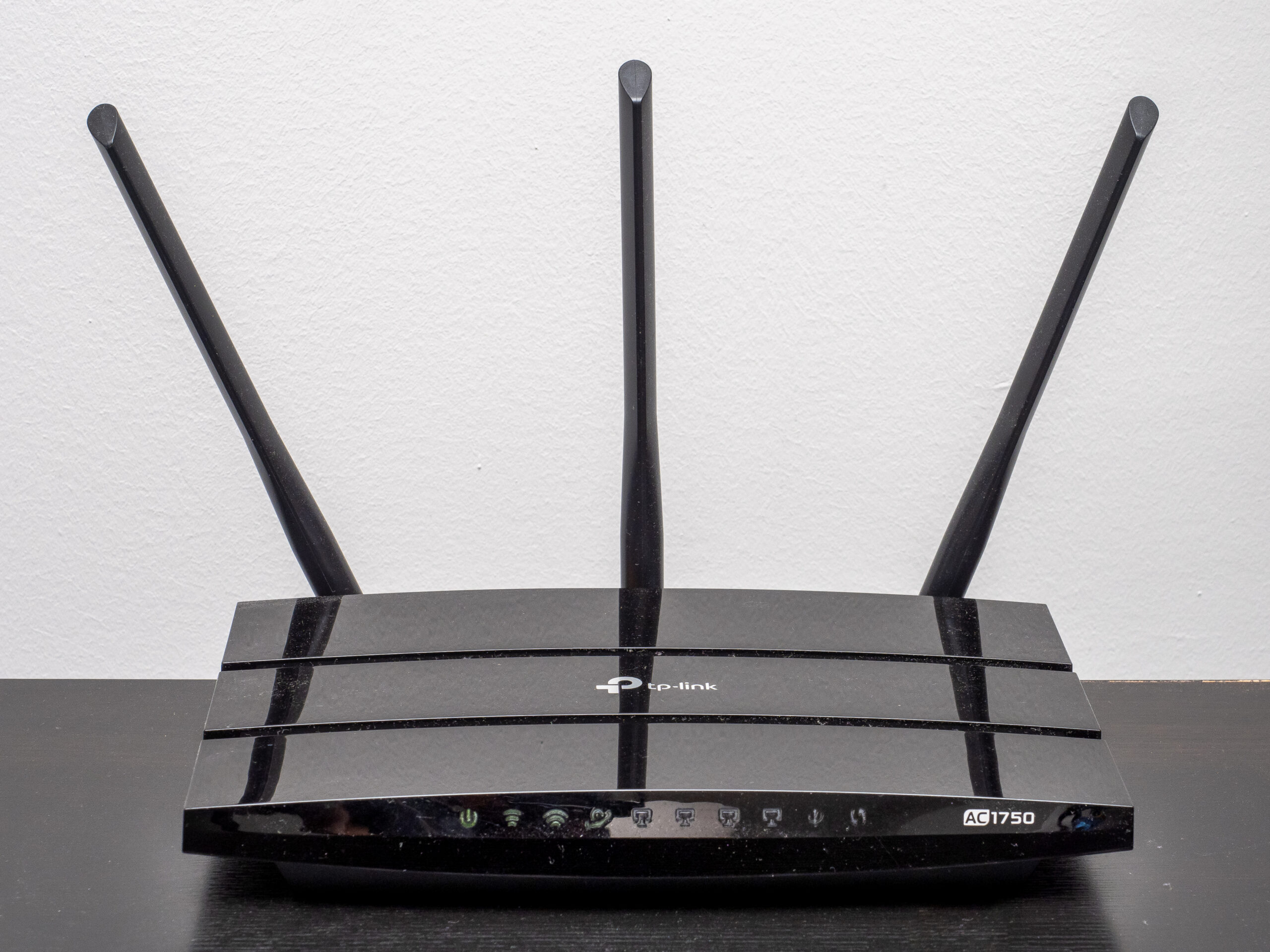
Water and metal are especially awkward. A fish tank, radiator, reinforced wall, mirror coating or large appliance can alter the path. Ofcom recommends keeping routers away from radiators, fish tanks, thick walls and electrical devices, and placing them in the open, off the floor and roughly centrally. The familiar practice of hiding a router in a low cupboard is tidy furniture design and poor radio design.
Frequency adds another trade-off. Consumer Wi-Fi commonly uses the 2.4, 5 and, on newer equipment, 6 GHz bands. Microsoft’s current support guidance summarises the practical pattern: 2.4 GHz usually travels farther and passes obstacles better, but offers lower throughput and faces more congestion; 5 and 6 GHz can provide more capacity nearby but weaken more quickly through walls. “Higher number” does not mean “better everywhere”.
There is another surprise: reflections are not always bad. Radio waves can reach a device by several paths—directly, off a wall, around a doorway. Modern Wi-Fi can exploit multiple paths, but reflected signals can also combine unfavourably at a particular point. Moving a router or laptop by less than a metre can change that geometry. A dead patch can therefore sit beside a usable one without any obvious boundary.
Signal strength is not the whole story
A strong signal can still deliver poor service. Wi-Fi devices share airtime. A busy neighbour on the same or an overlapping channel, an old device using slower transmissions, or a household backup consuming capacity can make everyone wait. Some appliances, including microwave ovens, baby monitors and cordless phones, can interfere in or near the 2.4 GHz band.
This is why a single speed reading is weak evidence. Throughput changes with time, server load and other activity. Delay and packet loss matter more than peak speed for conversation. Ofcom explicitly notes that lag can affect video calls and games even when a speed figure looks acceptable.
It is also why “more boxes” is not an automatic solution. A repeater needs a good link back to the router; placed inside the dead zone, it may simply repeat a poor connection. Mesh systems can extend coverage, but their nodes also need sensible positions and a capable path between them. Ofcom warns that adding too many mesh units can make matters worse. Ethernet to a fixed desk, television or mesh node is less magical but often more dependable.
Make a three-point radio map
A useful home experiment takes about half an hour and needs no specialist instrument. Use the same device throughout, because different phones and laptops have different radios and antennas. Choose three places: beside the router, at the usual problem location and halfway between them.
At each point, at roughly the same time:
-
Run the same reputable speed test three times and record download speed, upload speed and latency.
-
Note whether the device is using 2.4, 5 or 6 GHz if its settings show this.
-
Try the activity that actually matters—a video call, file transfer or streaming session—and record freezes or drop-outs rather than relying only on speed.
-
Write down the obstacles along the path: solid walls, floors, metal cupboards, mirrors, radiators or water.
Then make one reversible change. Put the router in the open and higher up, or temporarily move it a metre towards the centre of the home. Repeat the problem-location tests. If performance changes substantially, placement and propagation are doing real work. If it changes mainly by time of day, contention or interference deserves attention. If every point is equally slow, test with Ethernet if available and investigate the incoming service or the device.
Do not optimise for the highest isolated number. Define success from human use: a call that remains intelligible, a lesson that does not disconnect, or a work desk that transfers files reliably. Keep the router secure and ventilated, do not stretch cables across walkways, and do not alter provider or advanced radio settings without recording the original configuration.
Buy only after the map speaks
The experiment cannot identify every cause. Consumer speed tests are noisy, automatic band selection is opaque and some building materials are hidden. A professional survey is justified in a complex building or where connectivity is critical. But the small map is enough to improve the next decision.
If one move fixes the room, the solution may be free. If a single wall divides the home, a wired access point beyond it may be better than a powerful router on the wrong side. If mobility across a large house matters, mesh may justify its cost. If only fixed equipment is affected, Ethernet may offer more reliability and a longer useful life than another wireless layer.
The broader lesson is modest but useful: connectivity is not a substance poured evenly into a home. It is a relationship between radio, building and activity. Once the dead zone becomes a map rather than a mystery, the household can shape the network around where life actually happens.
